
BEXRO D12 PLINTH
BEXRO
D12 PLINTH
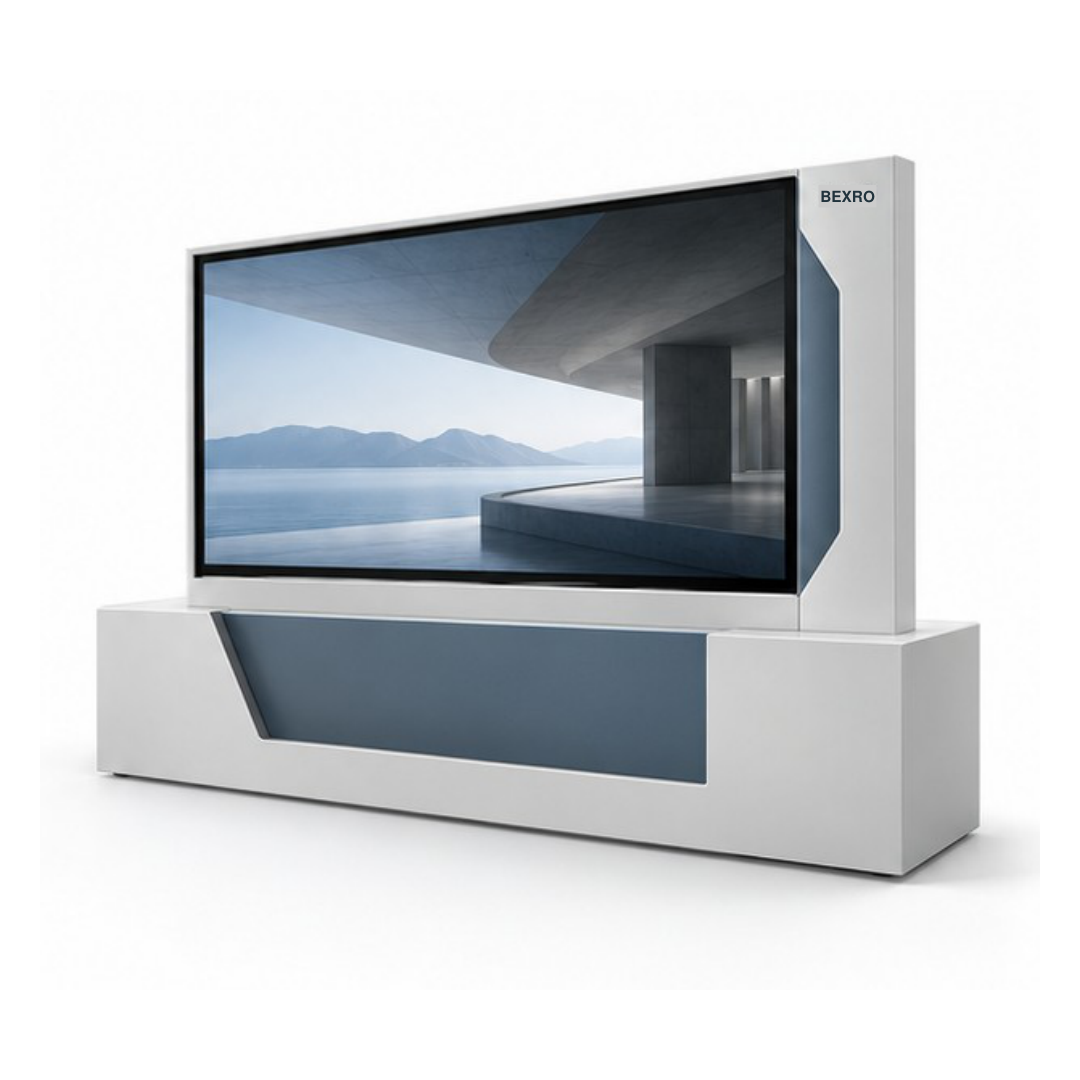
Console-style architectural display
PLINTH grounds the screen in a low geometric enclosure. The concept gives the display a furniture-like presence and provides a defined service volume.
Design Direction
Landscape face on a low geometric console
เหมาะสำหรับ
Corporate lobbies, hotels, showrooms, property developers, interior contractors
Practical Advantages
- A plinth can accommodate agreed electronics
- The form can align with reception and lounge interiors
- Service access can be planned within the lower structure
Example Applications
- Display a brand film in a reception zone
- Create an information point in a lounge
- Present showroom content within a designed interior
Models & Configurations
ตารางรุ่น D12 PLINTH
23 รูปแบบจอ
| BEXRO SKU | ประเภท | ขนาด / รูปแบบ | รายละเอียด / ข้อมูลจำเพาะ |
|---|---|---|---|
| BEXRO-PLINTH-001 | จอแสดงผล | 55Console | 55. non touch screen, Windows compute optional, quoted separately
|
| BEXRO-PLINTH-002 | จอแสดงผล | 65Console | 65. non touch screen, Windows compute optional, quoted separately
|
| BEXRO-PLINTH-003 | จอแสดงผล | 75Console | 75. non touch screen, Windows compute optional, quoted separately
|
| BEXRO-PLINTH-004 | จอแสดงผล | 85Console | 85. non touch screen, Windows compute optional, quoted separately
|
| BEXRO-PLINTH-005 | จอแสดงผล | 98Console | 98. non touch screen, Windows compute optional, quoted separately
|
| BEXRO-PLINTH-006 | จอแสดงผล | 55Console | 55. IR touch screen, Windows compute optional, quoted separately
|
| BEXRO-PLINTH-007 | จอแสดงผล | 65Console | 65. IR touch screen, Windows compute optional, quoted separately
|
| BEXRO-PLINTH-008 | จอแสดงผล | 75Console | 75. IR touch screen, Windows compute optional, quoted separately
|
| BEXRO-PLINTH-009 | จอแสดงผล | 85Console | 85. IR touch screen, Windows compute optional, quoted separately
|
| BEXRO-PLINTH-010 | จอแสดงผล | 98Console | 98. IR touch screen, Windows compute optional, quoted separately
|
| BEXRO-PLINTH-011 | จอแสดงผล | 55Console | 55. PCAP touch screen, Windows compute optional, quoted separately
|
| BEXRO-PLINTH-012 | จอแสดงผล | 65Console | 65. PCAP touch screen, Windows compute optional, quoted separately
|
| BEXRO-PLINTH-013 | จอแสดงผล | 75Console | 75. PCAP touch screen, Windows compute optional, quoted separately
|
| BEXRO-PLINTH-014 | จอแสดงผล | 98Console | 98. PCAP touch screen, Windows compute optional, quoted separately
|
| BEXRO-PLINTH-015 | จอแสดงผล | 75Architectural pedestal | 75. non touch screen
|
| BEXRO-PLINTH-016 | จอแสดงผล | 85Architectural pedestal | 85. non touch screen
|
| BEXRO-PLINTH-017 | จอแสดงผล | 98Architectural pedestal | 98. non touch screen
|
| BEXRO-PLINTH-018 | จอแสดงผล | 75Architectural pedestal | 75. IR touch screen
|
| BEXRO-PLINTH-019 | จอแสดงผล | 85Architectural pedestal | 85. IR touch screen
|
| BEXRO-PLINTH-020 | จอแสดงผล | 98Architectural pedestal | 98. IR touch screen
|
| BEXRO-PLINTH-021 | จอแสดงผล | 75Architectural pedestal | 75. PCAP touch screen
|
| BEXRO-PLINTH-022 | จอแสดงผล | 85Architectural pedestal | 85. PCAP touch screen
|
| BEXRO-PLINTH-023 | จอแสดงผล | 98Architectural pedestal | 98. PCAP touch screen
|
Selection Advice
Orientation and support arrangement depend on the configuration. Confirm the installation footprint and internal equipment load before finalising the enclosure.